Kalathos SquareKALATHOS SQUAREWebsite & Management System
A complete digital experience · Rhodes, Greece

Exceptional stays.
Beautifully managed.

A complete website and hospitality management proposal for Kalathos Square — showcasing the guest experience and the operational system behind it.

The concept

Show the beauty.
Make every detail work.

The website is designed to make the property the hero: architecture, private pools, authentic materials, thoughtful interiors and the feeling of a private Rhodes escape. Behind it, a purpose-built management system gives the team control over every reservation and guest journey.
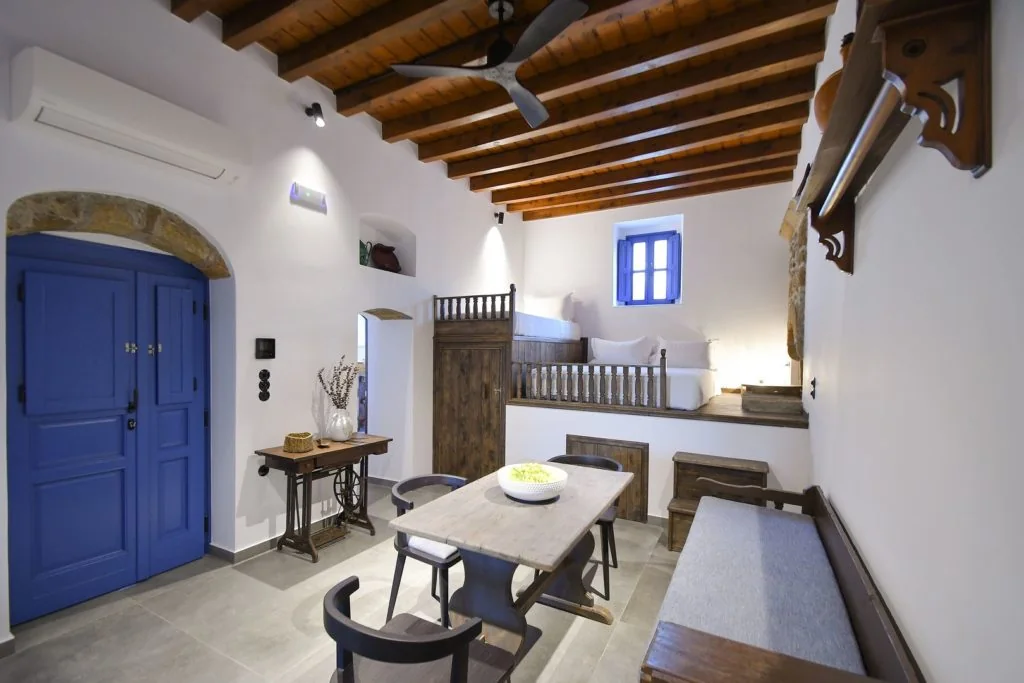
  • Premium, image-led storytelling that puts the suites and villas first.
  • Clear paths to explore accommodation, discover the property and book.
  • A connected administration experience for staff and management.
  • Built around WordPress, Elementor Free and a dedicated custom plugin.
Kalathos Square private pool courtyard
Part one · Guest-facing website

The frontend experience — page by page.

These are the previously rendered visual concepts for the new Kalathos Square website, using the property's photography and the agreed visual direction. Select any image to enlarge it.
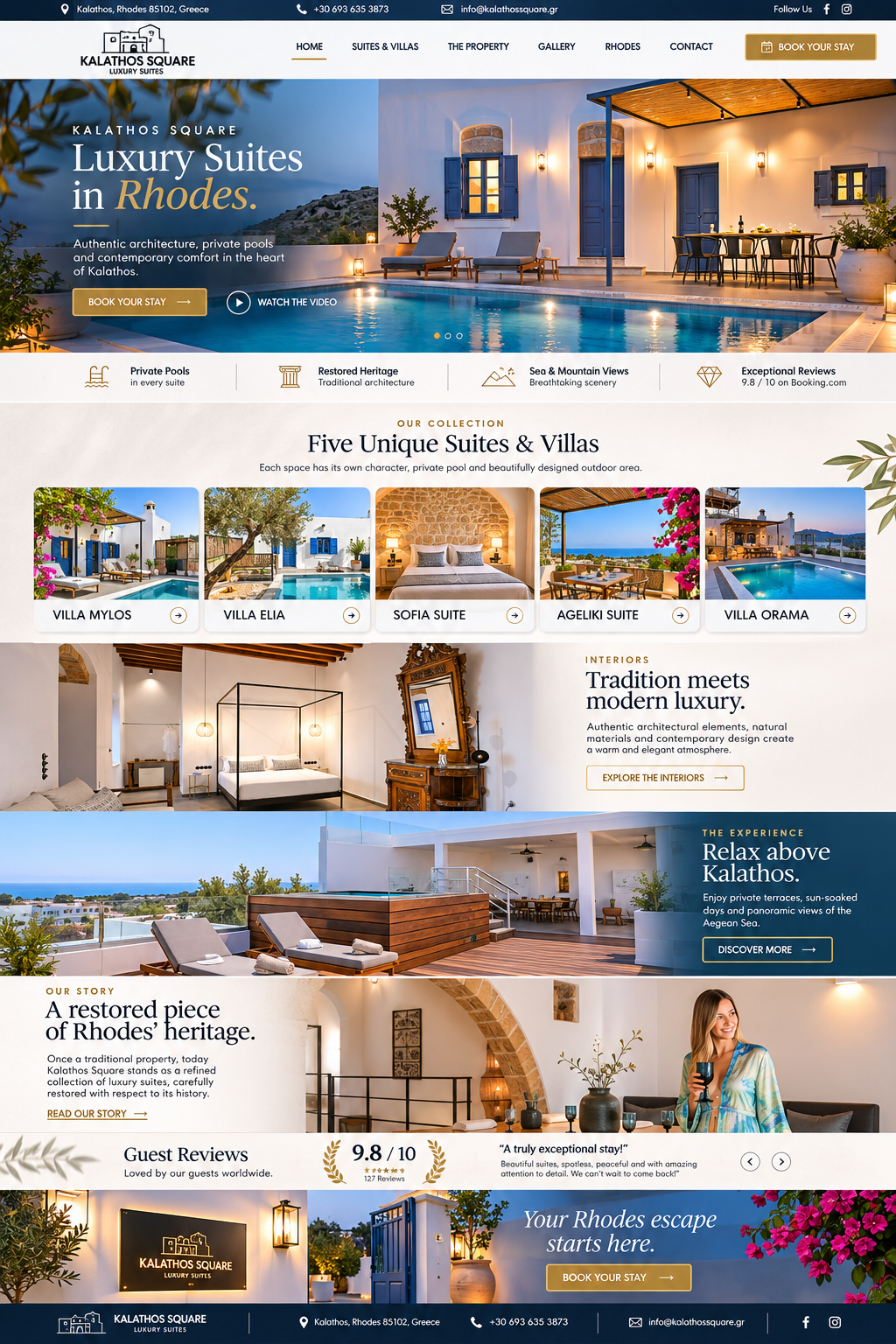
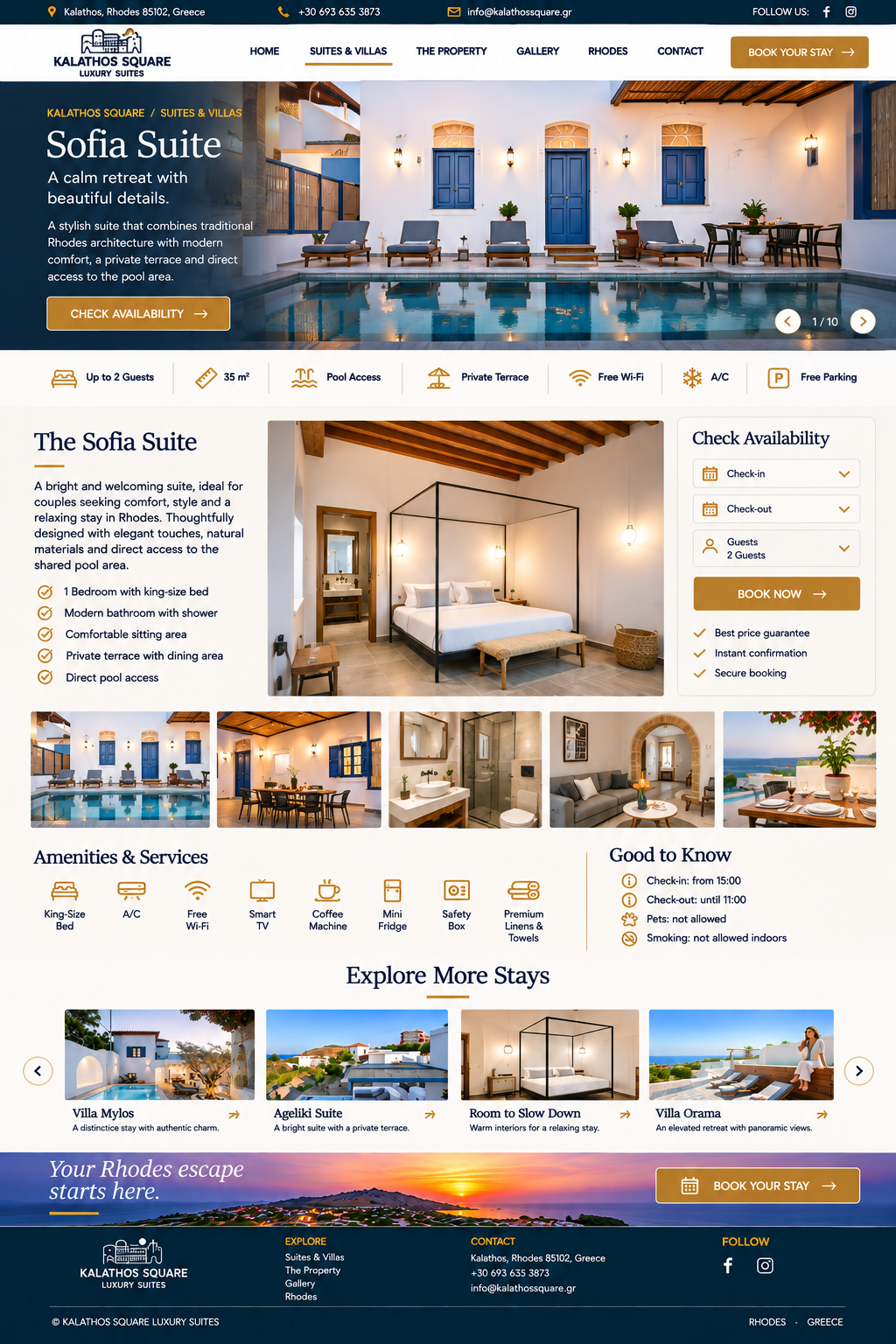
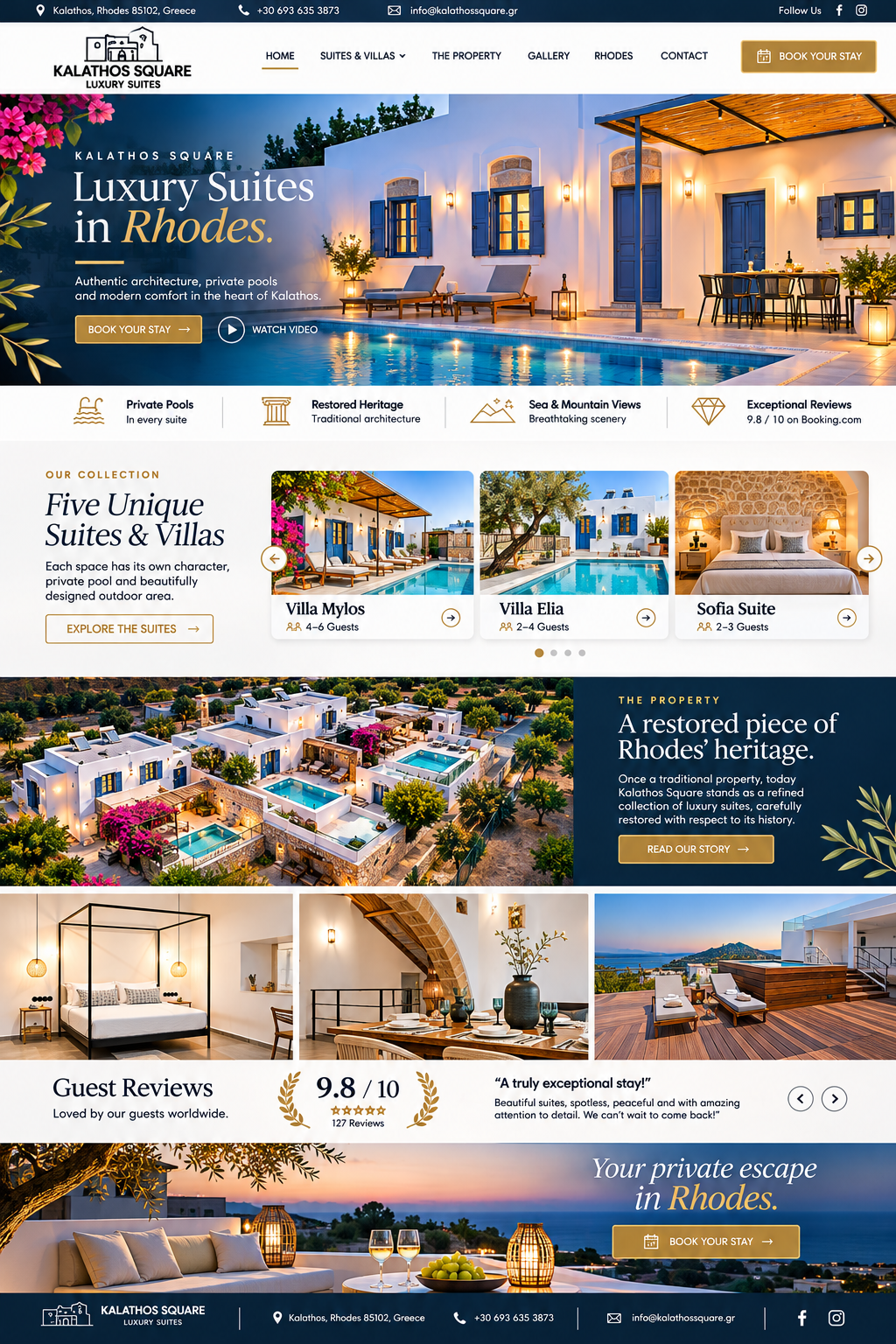
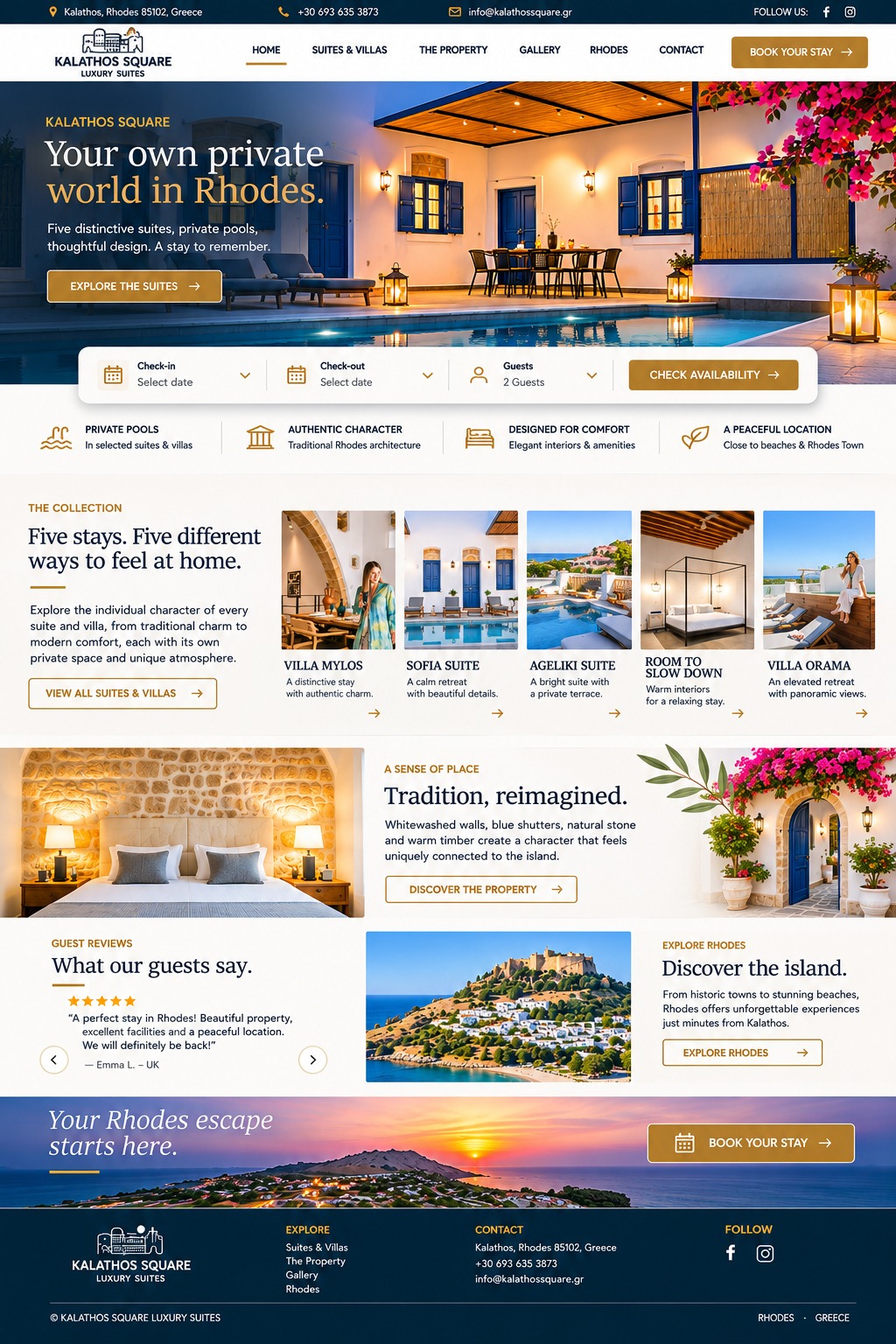
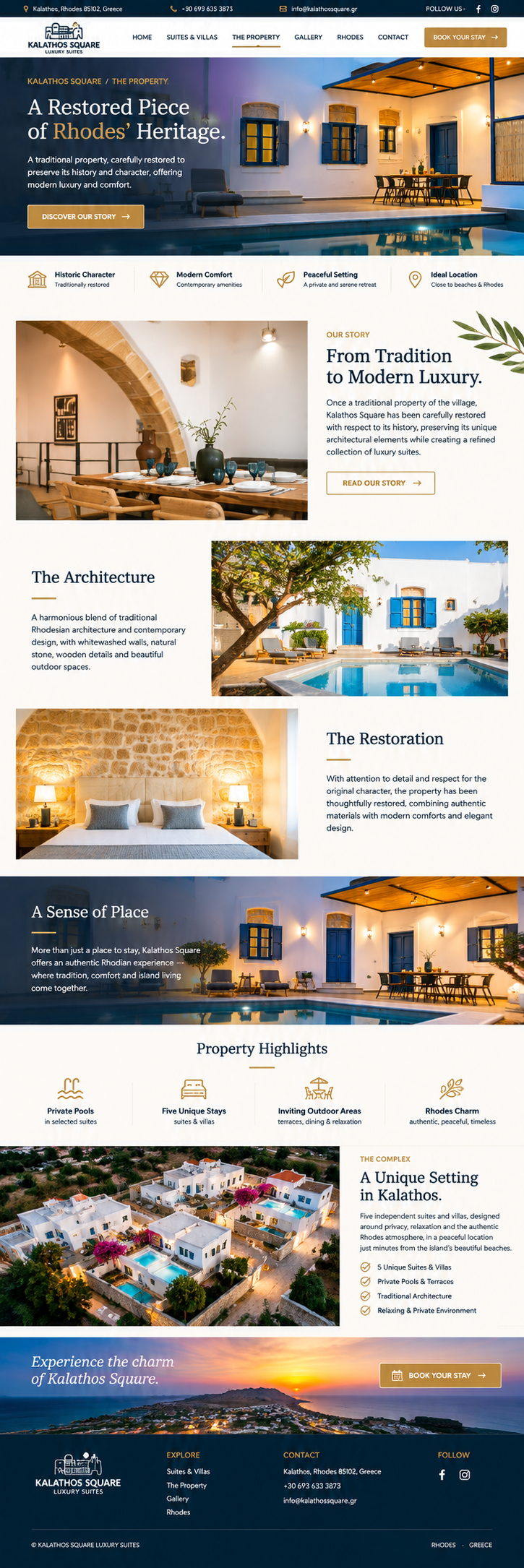
Homepage full-page render
01 · HomepageFirst impression, hero storytelling, suite collection, property highlights, gallery and booking calls to action.
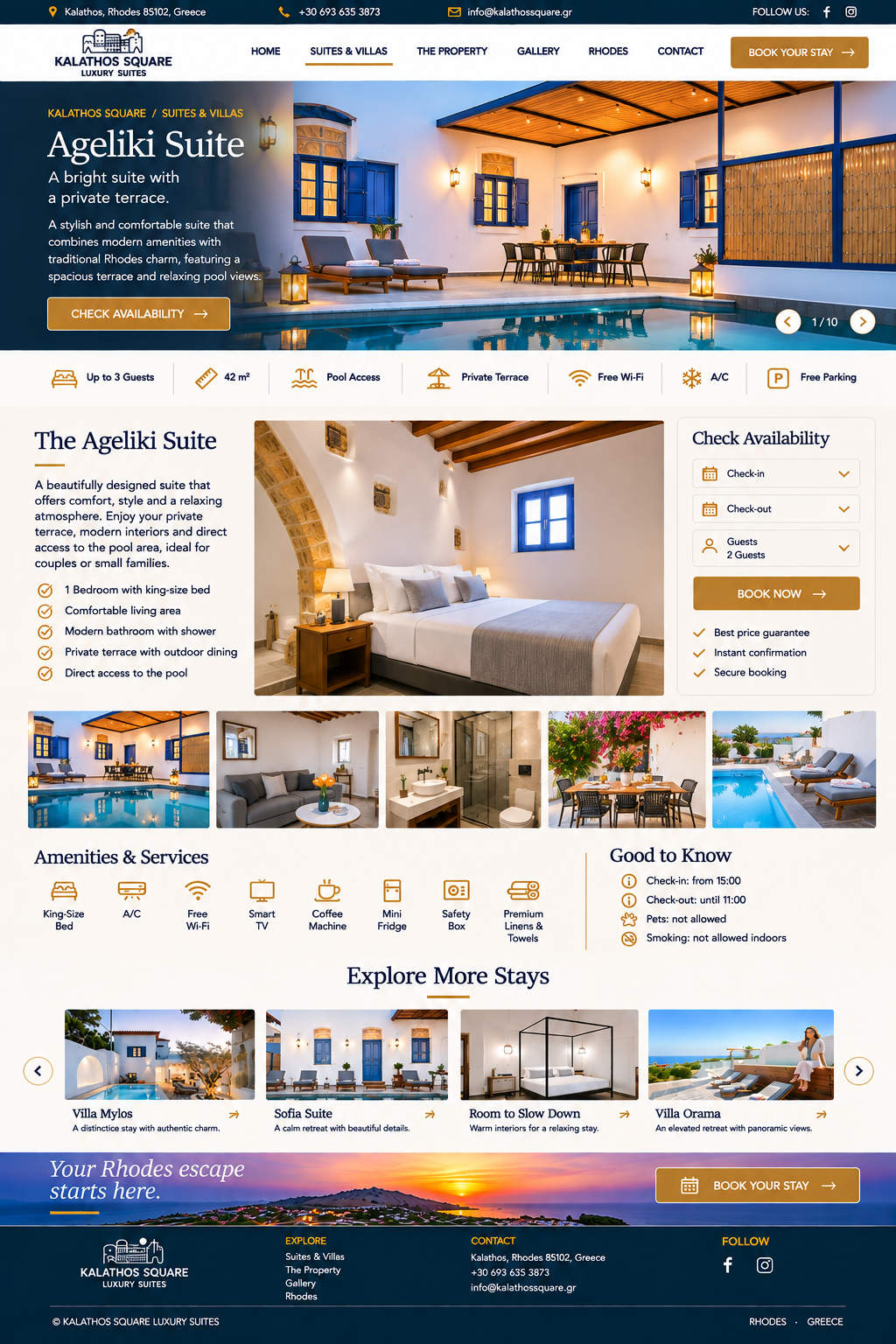
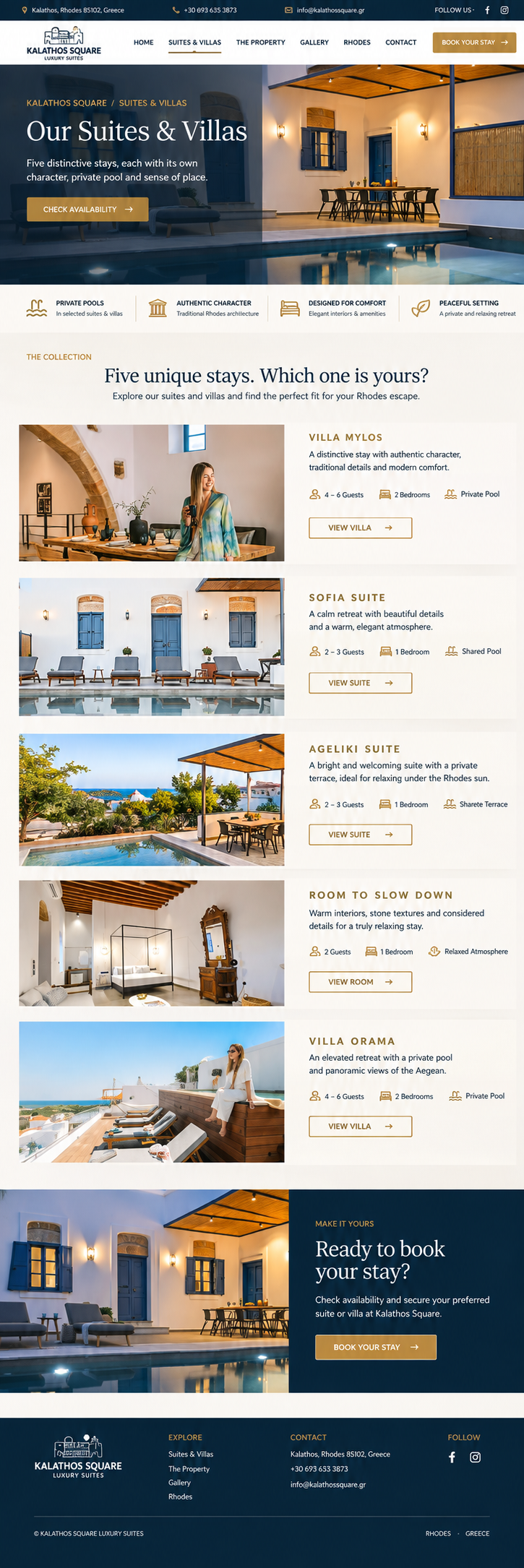
Suites and villas page render
02 · Suites & VillasAccommodation overview with distinctive suite and villa cards, photography and direct paths to details.
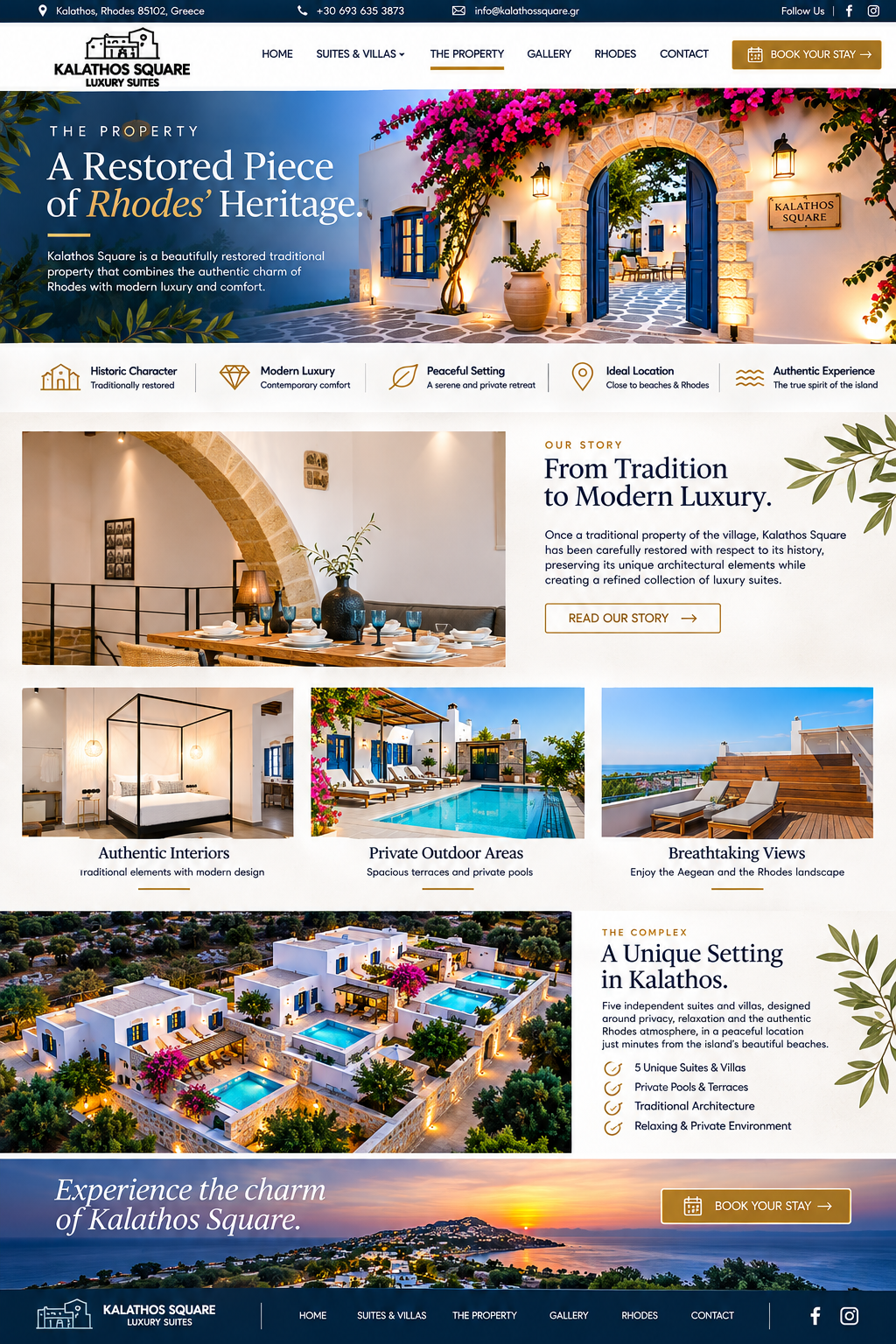
Property page render
03 · The PropertyArchitecture, private pool spaces, outdoor living, design character and facilities.
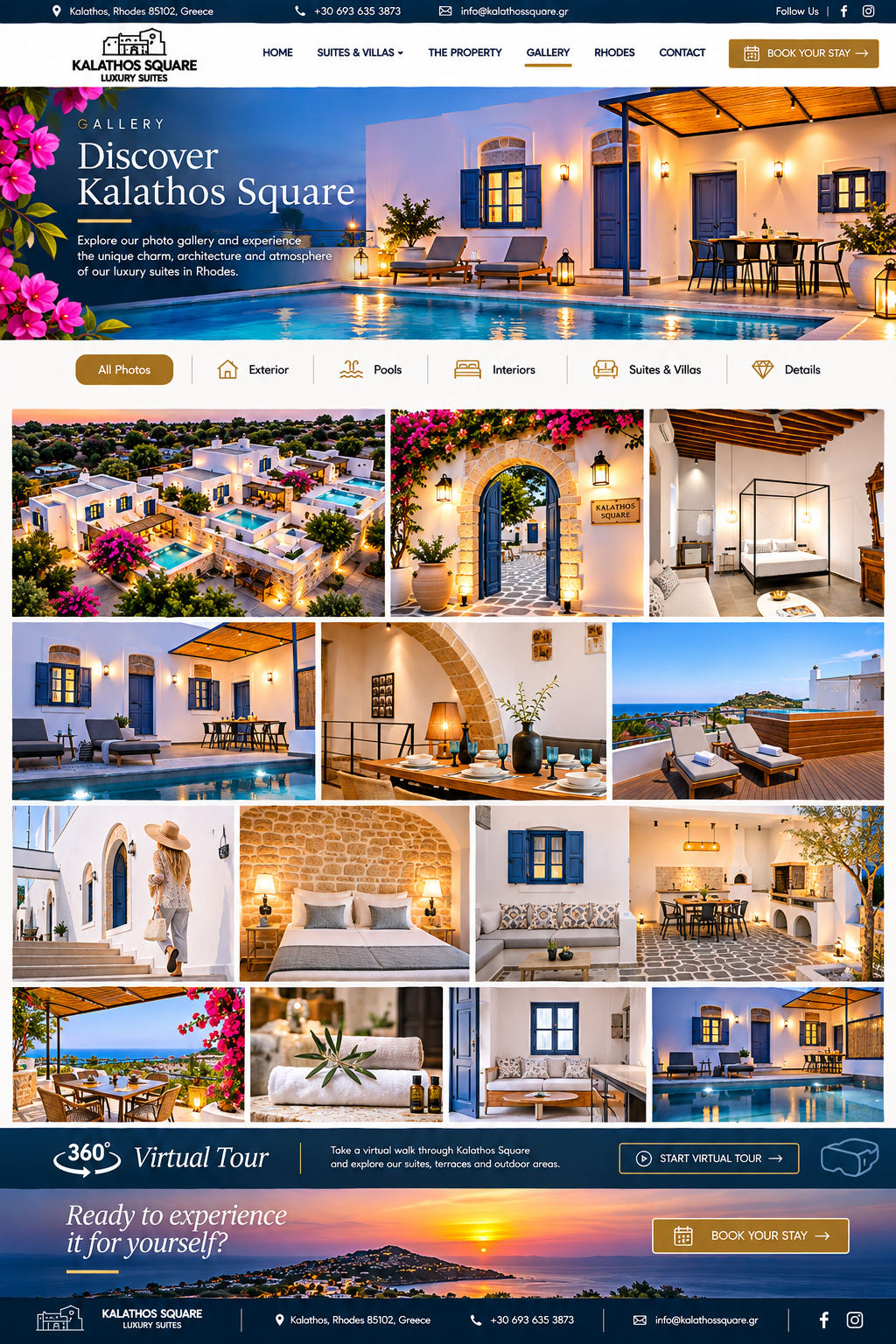
Gallery page render
04 · GalleryLarge-format visual gallery designed to let the real property photography sell the experience.
Rhodes destination page render
05 · RhodesDestination storytelling, local highlights and inspiration for guests planning their stay.
Contact page render
06 · Contact & ReservationsContact details, enquiry route and booking conversion points.
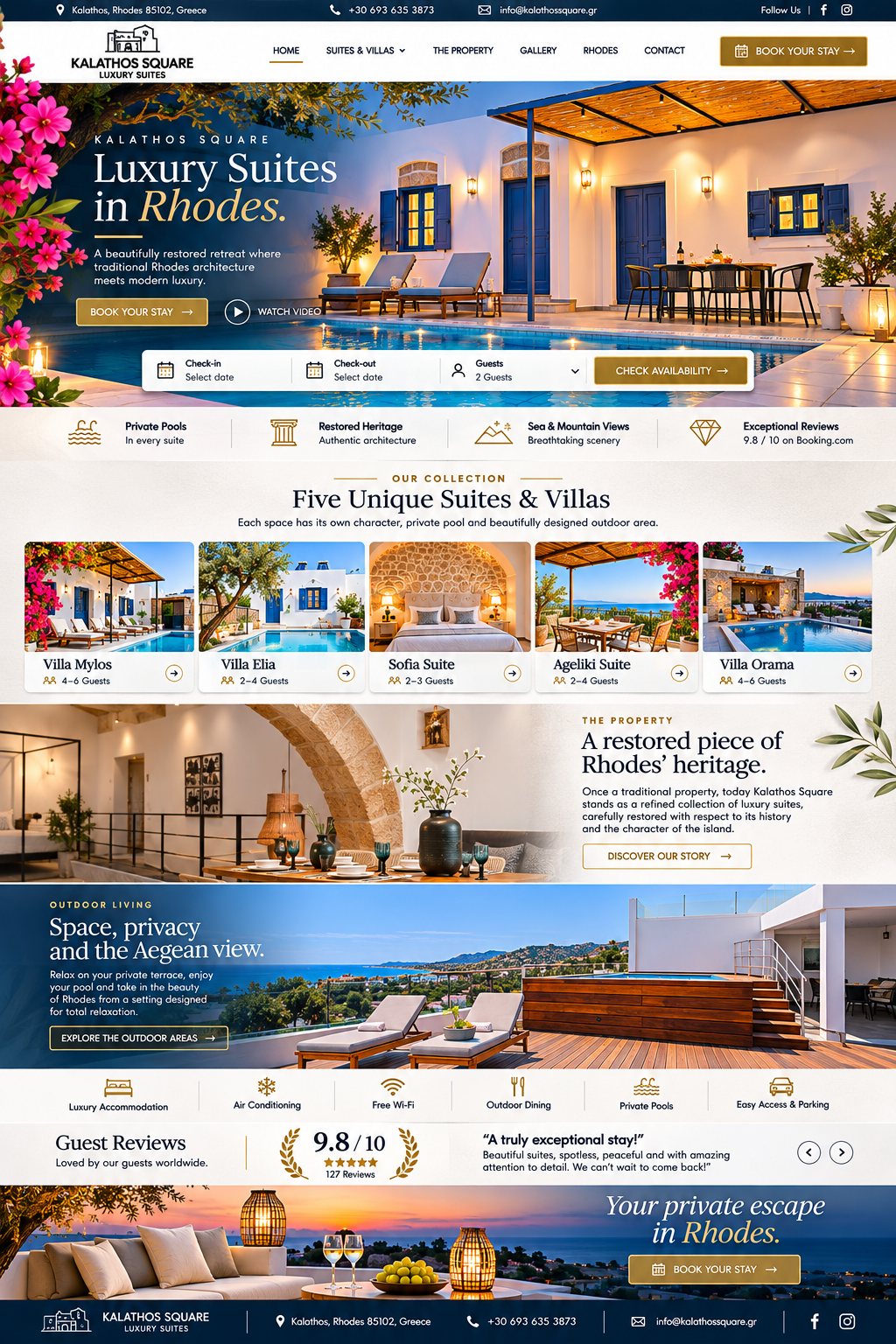
Alternate homepage concept
07 · Homepage — alternate compositionAlternative full-page visual exploration of the same premium direction.
Full page luxury website render
08 · Extended homepage directionFurther page composition reference for section rhythm, photography and conversion flow.
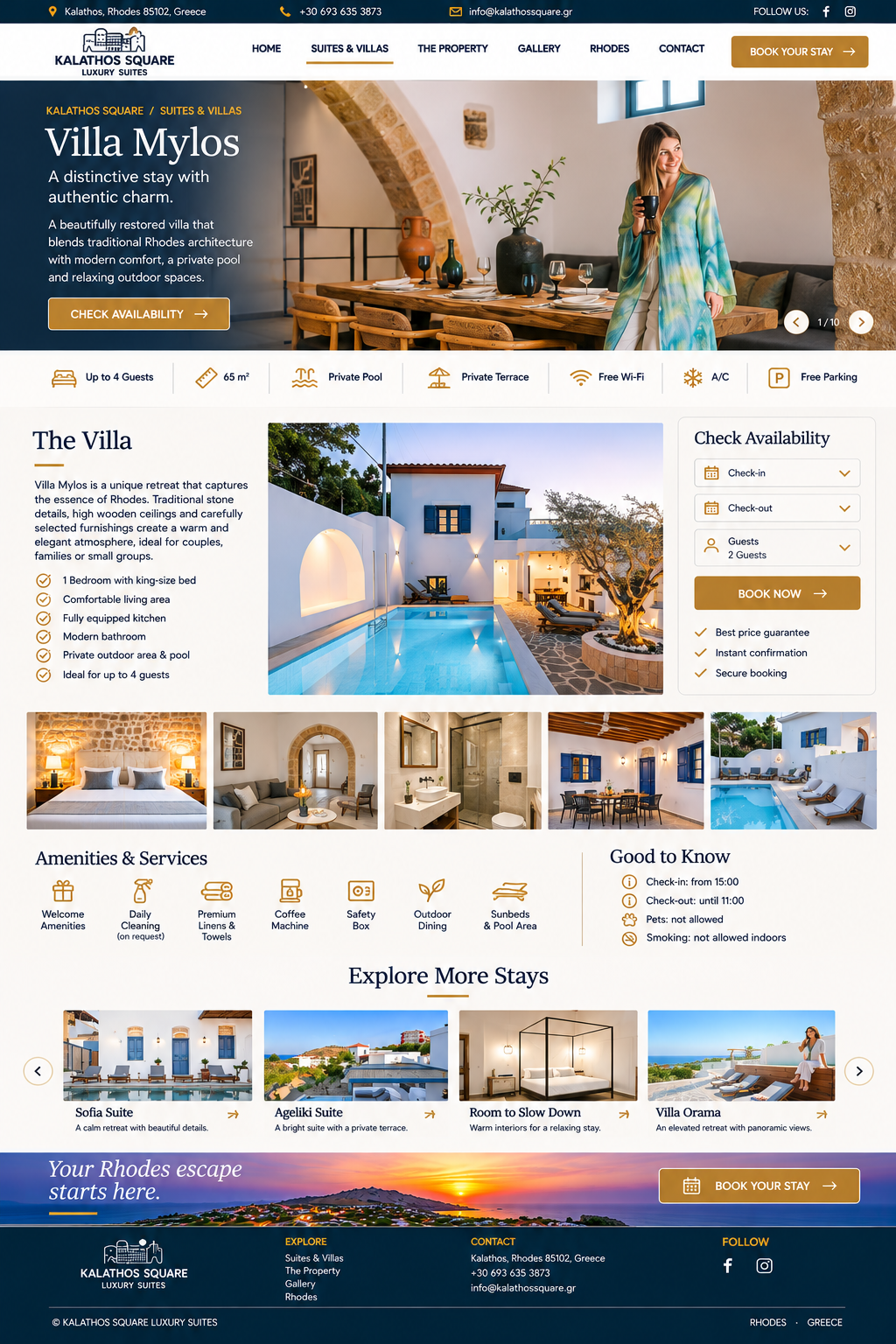
Long homepage visual
09 · Full-page visual directionLong-form layout reference with multiple content sections and rich image placement.
Additional website page render
10 · Supporting inner-page designConsistent visual language for inner pages and supporting content.
Additional continuation page render
11 · Continued page layoutAdditional page sections following the approved design system.
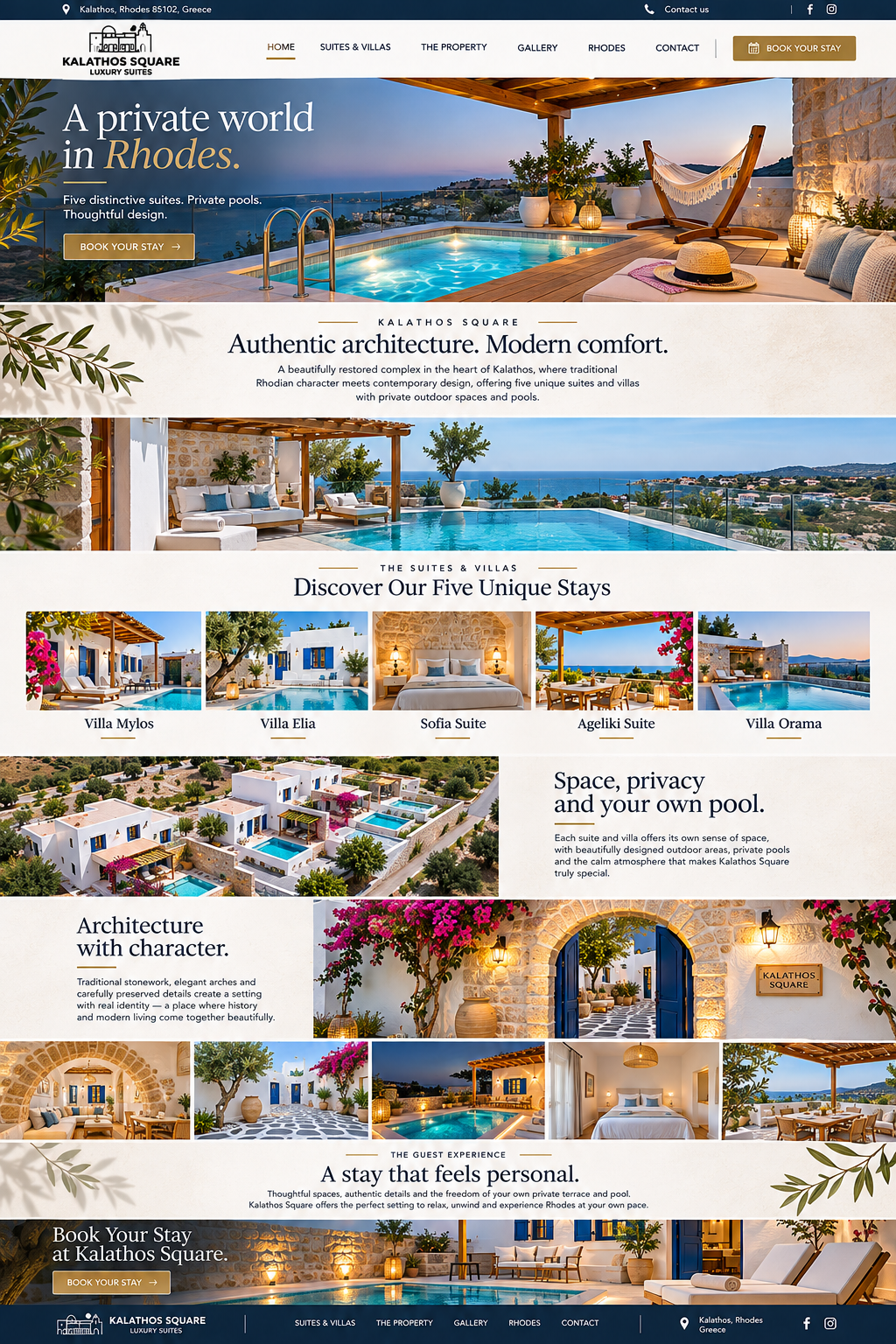
Clean long website page
12 · Clean editorial layoutLong-form visual layout with spacious typography and strong photography.
Part two · Staff administration

The management system — real screens, not just a feature list.

Seven rendered interface screens illustrate how the operational system can look and how the staff will work inside it.

All dashboard values, guest names and reservation references in these mockups are illustrative sample data. The screens show the proposed interface and workflow; they are not a live connected application.
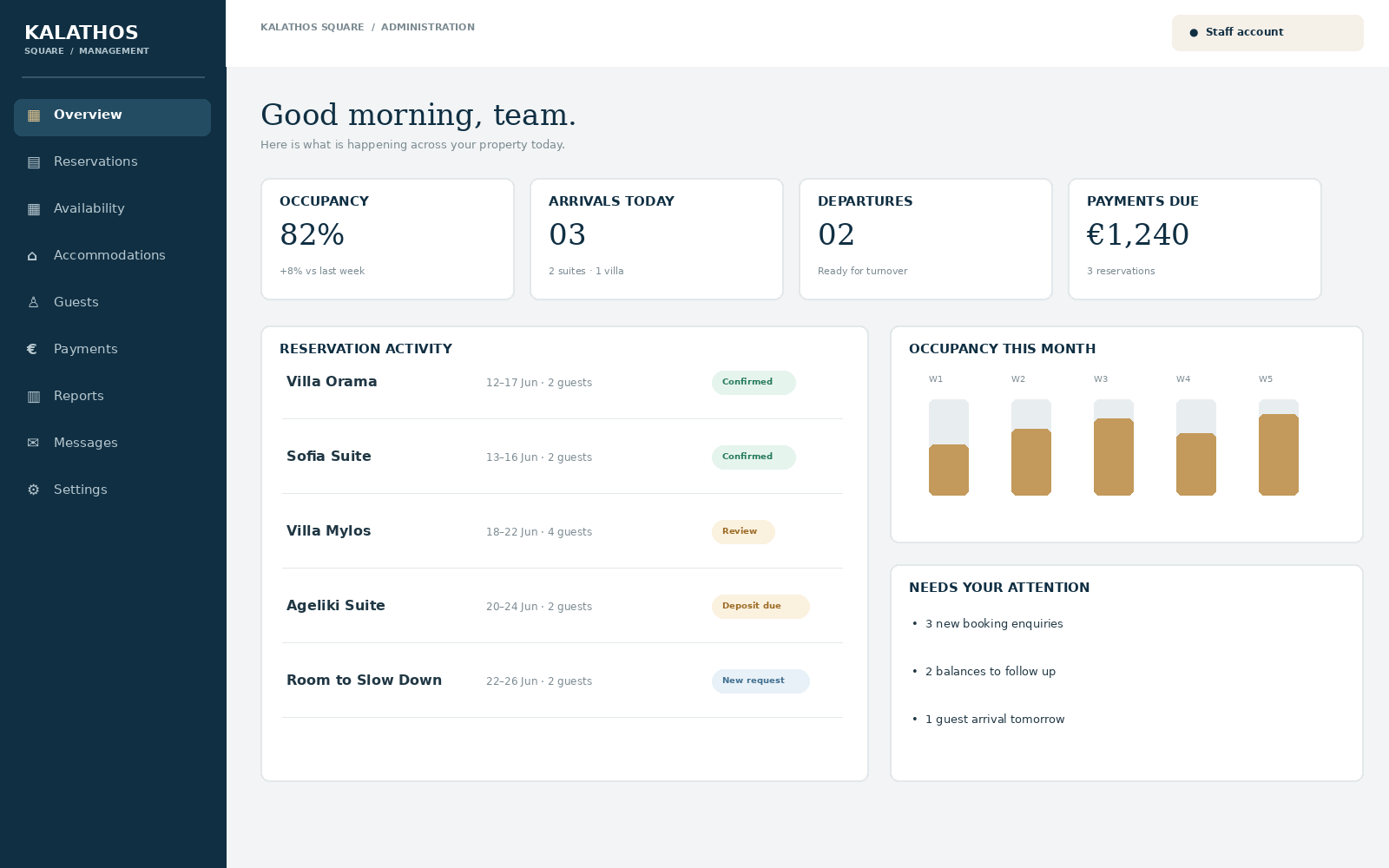
Management dashboard screenshot

01 · Management Dashboard

Daily operational command centre.

  • Occupancy, arrivals and departures
  • New enquiries and pending actions
  • Payment follow-ups and task alerts
  • Quick navigation to core modules
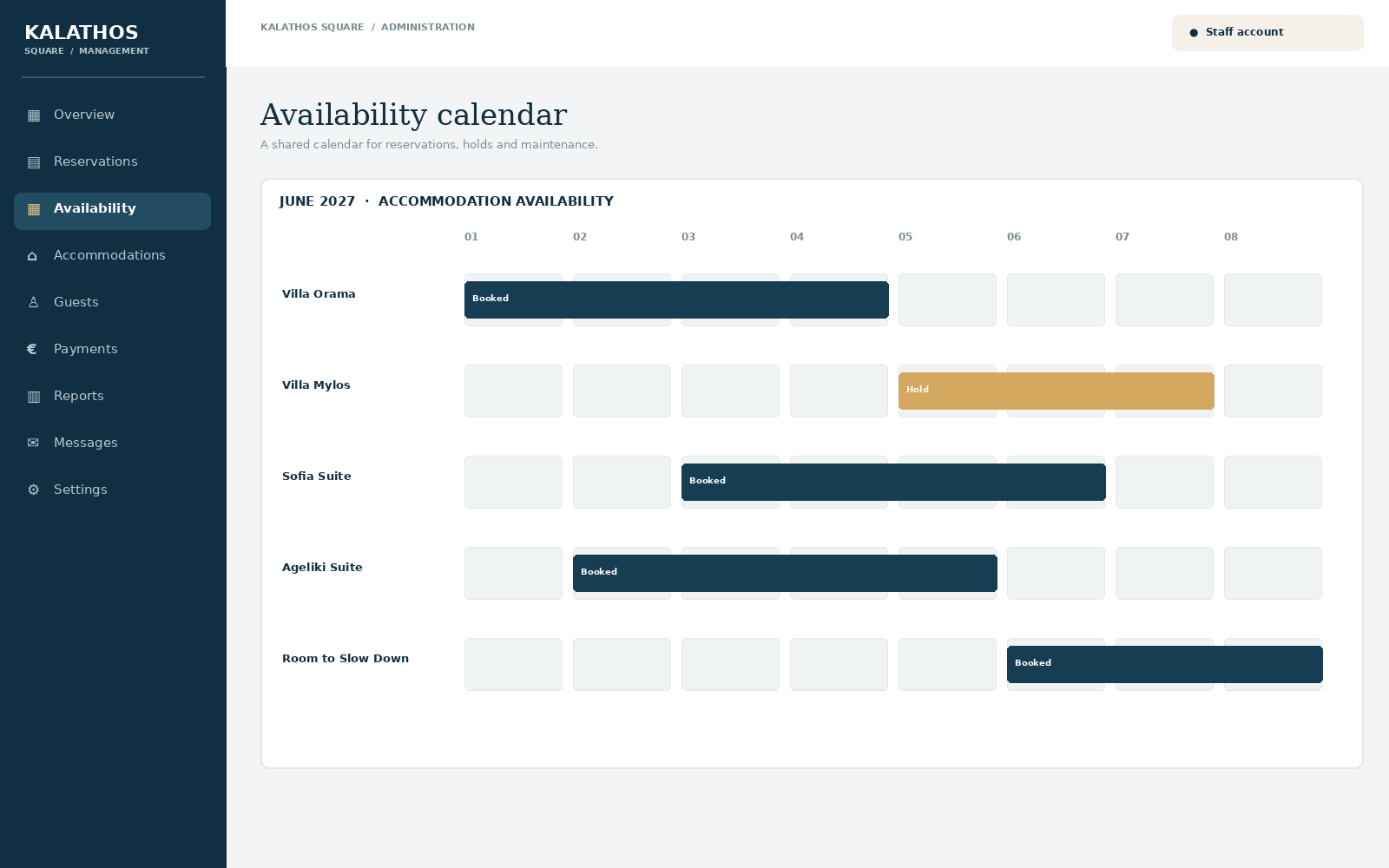
Availability calendar screenshot

02 · Availability Calendar

One shared calendar for all accommodation.
  • Reservations and date ranges
  • Temporary holds and maintenance blocks
  • Conflict prevention and availability checks
  • Staff booking creation from calendar
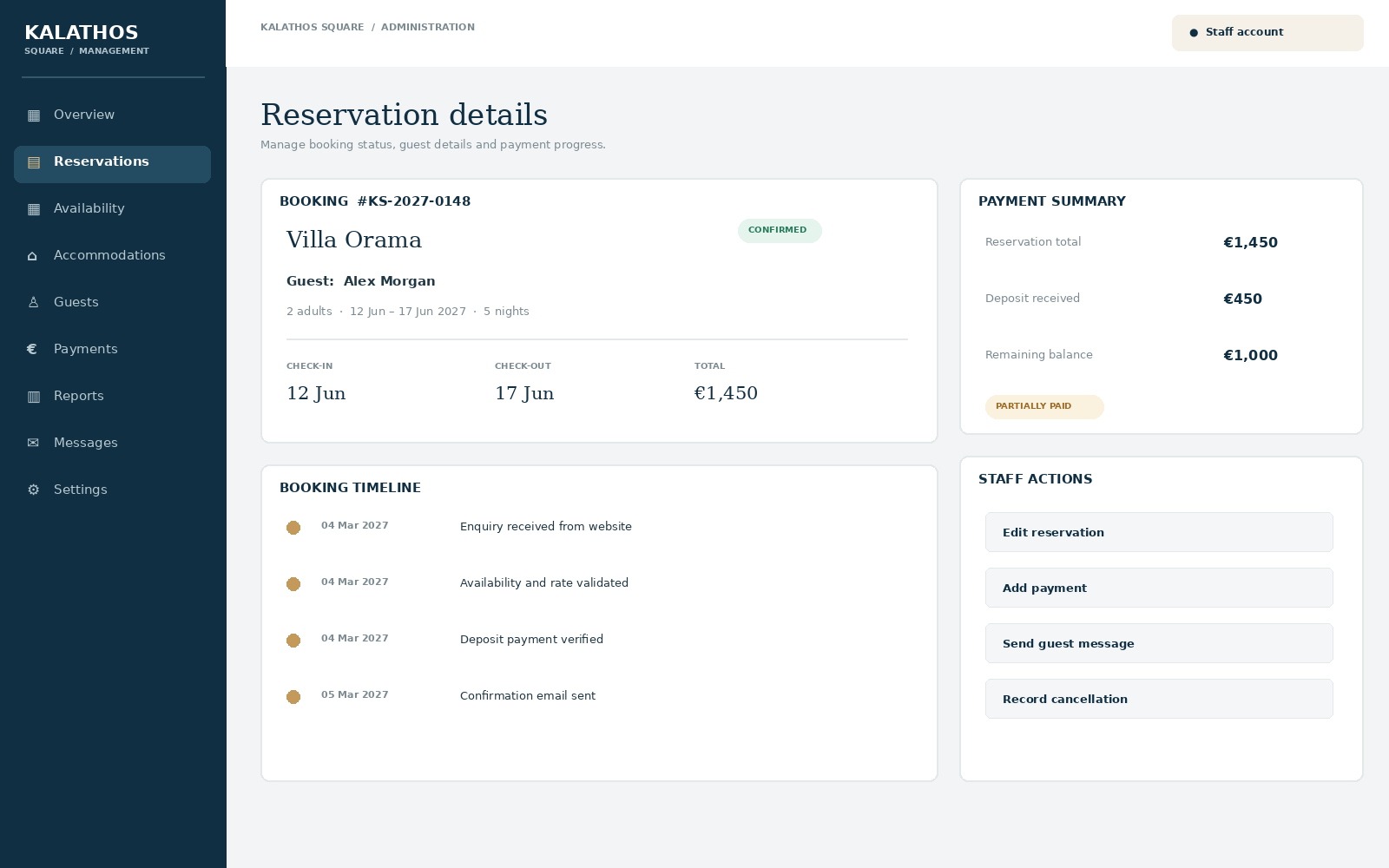
Reservation detail screenshot

03 · Reservation Management

One detailed record from enquiry to departure.
  • Guest and stay details
  • Booking status and timeline
  • Amounts, deposit and remaining balance
  • Staff actions and communication history
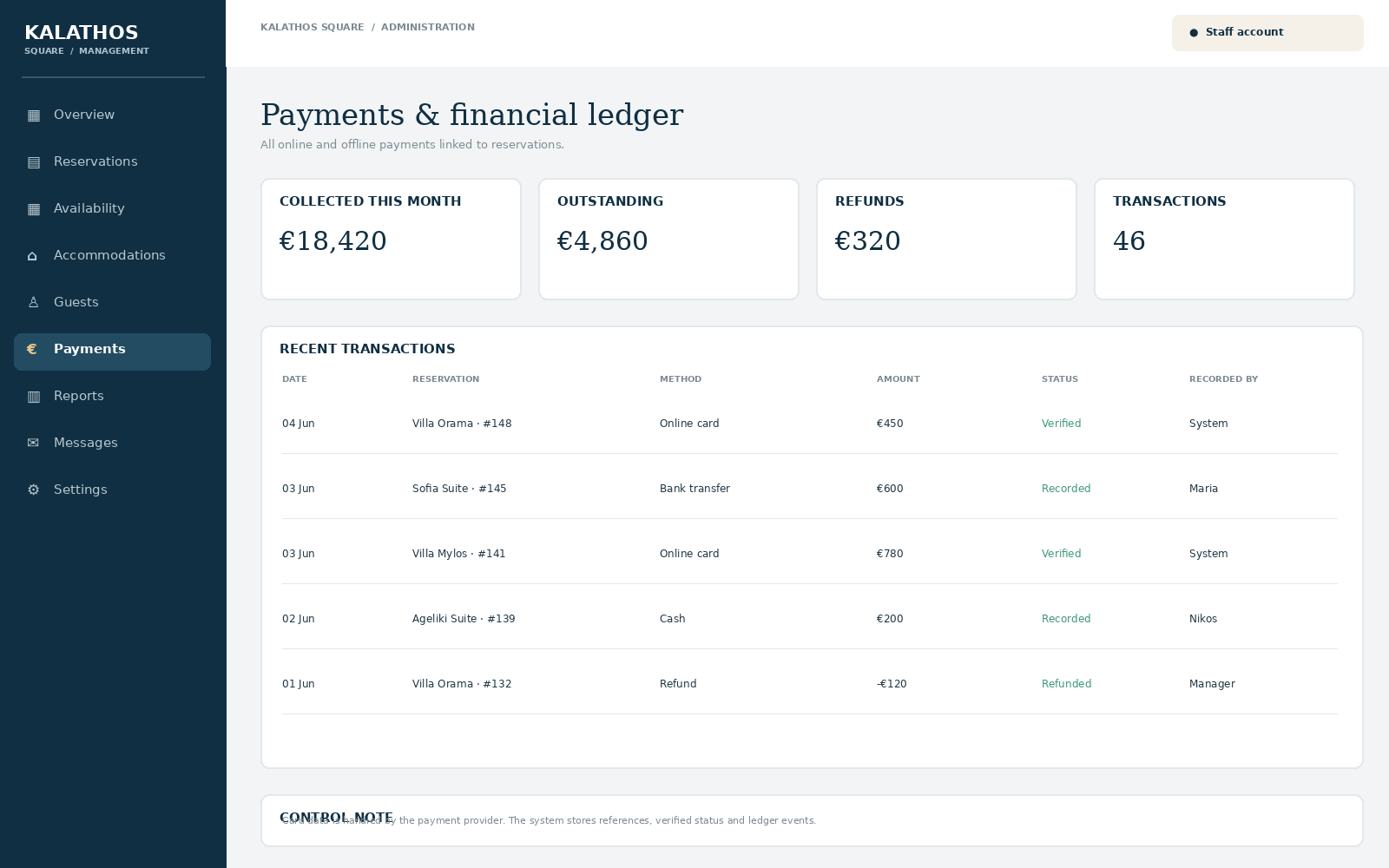
Payments ledger screenshot

04 · Payments & Financial Ledger

Online and offline payments in one place.
  • Online provider transactions
  • Manual cash, bank transfer and POS entries
  • Partial payments, balances and refunds
  • Transaction references and audit history
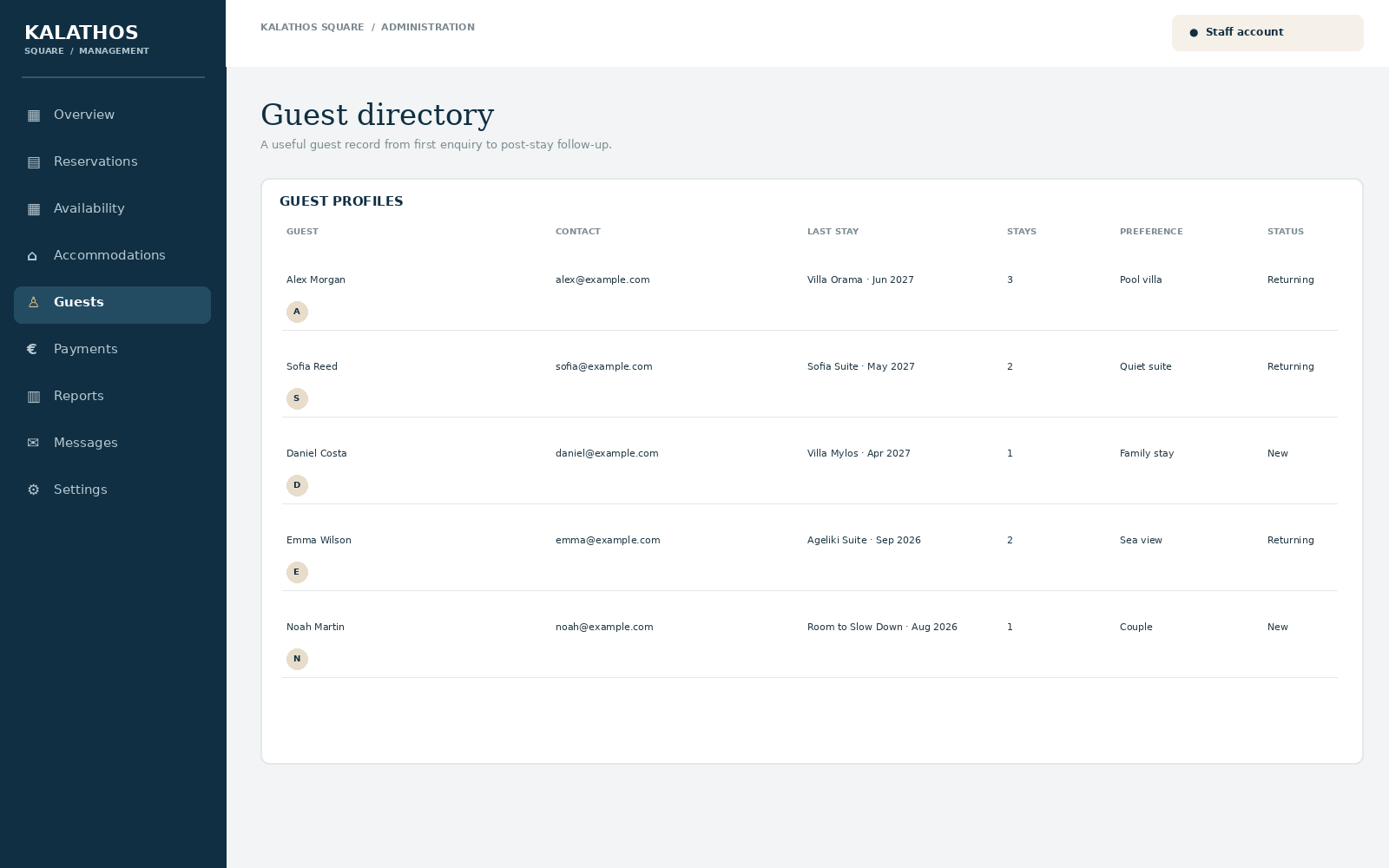
Guest CRM screenshot

05 · Guest CRM

Guest history that supports better hospitality.
  • Guest profiles and contact details
  • Previous and upcoming stays
  • Preferences and staff-only notes
  • Privacy-aware access permissions
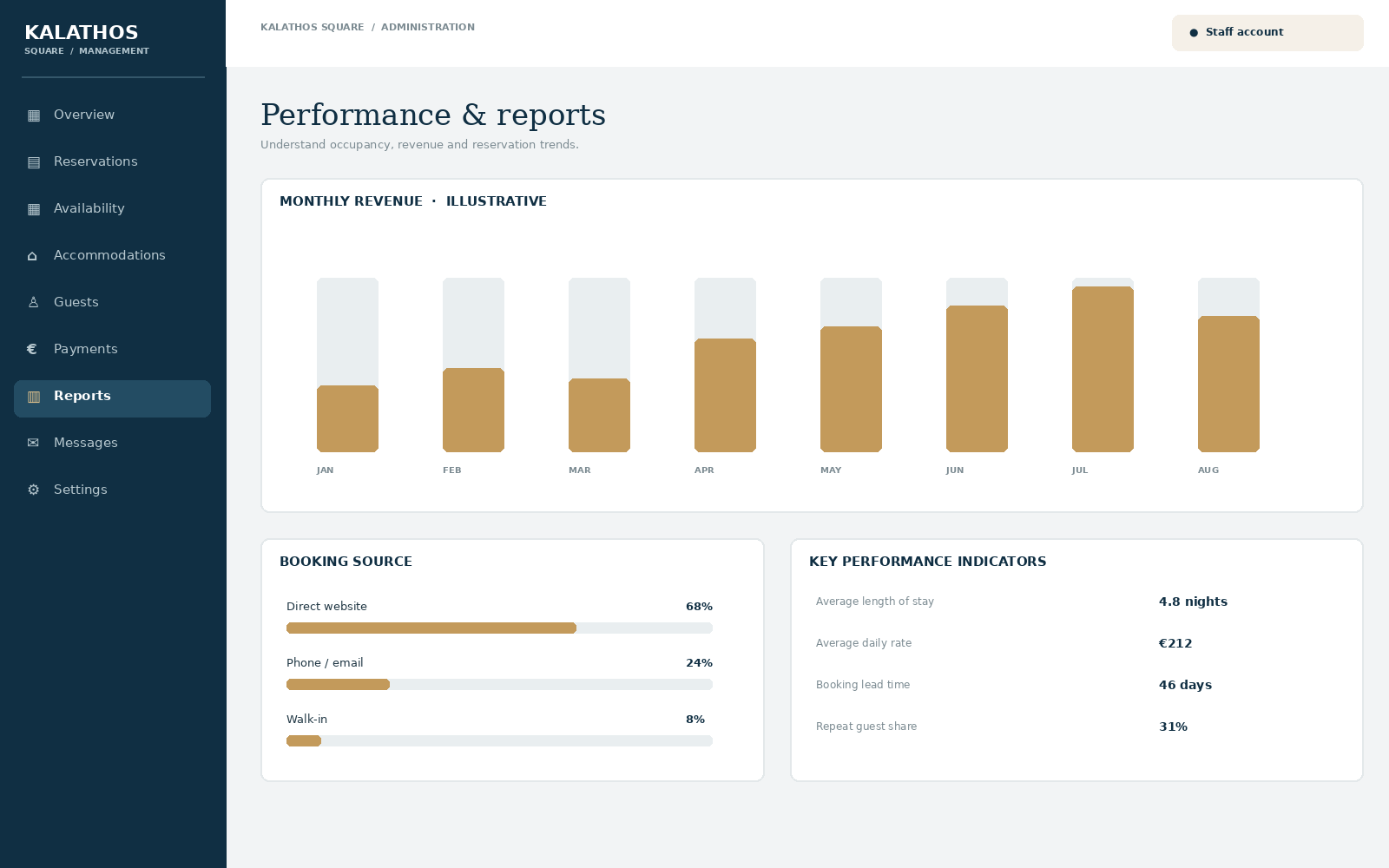
Reports and analytics screenshot

06 · Reports & Analytics

Understand the performance of the property.
  • Revenue and occupancy trends
  • Booking source distribution
  • Average stay and daily rate
  • Operational and financial exports
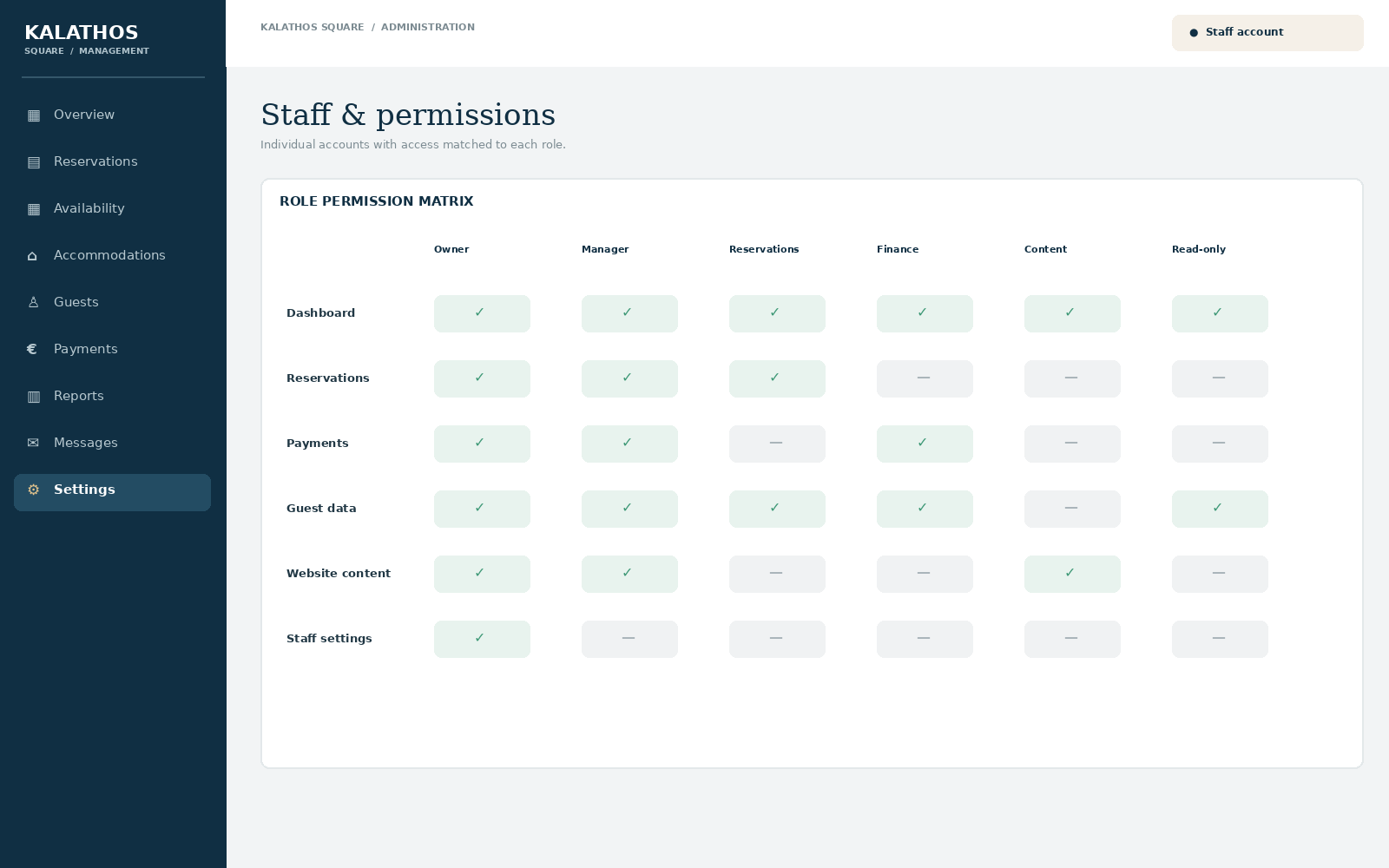
Staff permission matrix screenshot

07 · Staff & Permissions

Individual accounts with controlled access.

  • Owner and manager permissions
  • Reservations and finance roles
  • Content and read-only roles
  • Activity logs for sensitive actions
Complete administration scope

The full system feature set.

The rendered screens are the visual starting point. The complete platform scope includes the following modules.

01 · DashboardDaily overview, KPIs, alerts and shortcuts.
02 · AccommodationsSuites, villas, capacity, amenities and media.
03 · ReservationsOnline guest bookings and staff-created bookings.
04 · AvailabilityCalendar, date blocks, holds and conflict prevention.
05 · Rates & PricingSeasons, rate plans, minimum nights and overrides.
06 · Guest CRMProfiles, stay history and guest preferences.
07 · PaymentsOnline, manual, deposits, balances and refunds.
08 · NotificationsEmail templates, booking updates and delivery logs.
09 · Website ContentPage content, accommodation descriptions and facilities.
10 · GalleryImage library, ordering, captions and alt text.
11 · ReviewsGuest testimonials, moderation and display controls.
12 · SEO CentreMetadata, structured data and indexation readiness.
13 · ReportsOccupancy, revenue, sources and performance exports.
14 · IntegrationsPayment and email providers; future channel manager.
15 · Staff & RolesIndividual accounts, capabilities and audit logs.
16 · Settings & SecurityProperty rules, backups, diagnostics and security.
Technical architecture

Keep the website flexible.
Keep the business logic reliable.

WordPress and Elementor Free power the public experience. A dedicated custom plugin owns the operational data and booking rules.

Guest websiteWordPress · Elementor Free · responsive pages and booking forms
Application layerCustom plugin · reservations · pricing · availability · staff roles
Data layerDedicated tables · payment ledger · guest records · audit events
IntegrationsPayment provider · email delivery · future OTA/channel manager

Important: all pricing, availability, reservation creation and payment verification must be validated server-side. The website interface must never be the source of truth for business rules.

Phased implementation

From visual concept to a dependable operation.

Six controlled phases, with approval and testing at each stage.

PHASE 00

Discovery & Audit

Hosting, WordPress, property rules, inventory, staff workflows, payment and email provider decisions.

PHASE 01

Platform Foundation

Custom plugin, database schema, admin shell, staff accounts, permissions and audit trail.

PHASE 02

Reservations & Pricing

Availability calendar, booking engine, staff bookings, rate plans, holds and guest confirmations.

PHASE 03

Payments & Finance

Online provider, manual payments, deposits, balances, refunds, reconciliation and finance reports.

PHASE 04

Website & Launch

Elementor integration, content, SEO, responsive testing, security review and staff training.

PHASE 05

Future Expansion

Booking.com/Airbnb channel manager, synchronization, guest automation and advanced analytics.

Agreed project decisions

Four decisions define the first release.

Reservations · BOTHWebsite guest booking flow plus staff-created reservations.
External platforms · FUTUREOTA integrations are deferred, but architecture-ready.
Payments · BOTHOnline provider checkout and staff-recorded offline payments.
Administration · STAFFIndividual staff accounts and role-based permissions.